Export PDF report (SEO Possibilities)
Generate a client-ready PDF that summarizes prioritized issues, recent progress, and weekly Search Console trend data for one website. For a real workflow example—one PDF used by both a human team and an AI agent—see our case study SEO Report for Humans and AI (dansk).
How to open PDF export
Open a website in the workspace, then use the shared project context bar at the top and click PDF Report. This opens /seo-possibilities/report for the selected website.
You can also open the same report route from the websites table row menu on /dashboard. For the full navigation pattern, see Project context bar.
Who can use PDF export
PDF export is available on Starter, Pro, Business, and Enterprise plans. It is not available on Free.
What the report includes
Each export can include:
- A cover page with report title, website context, and optional intro text.
- Scope and freshness summary.
- Weekly Search Console chart plus weekly summary rows.
- Completed possibilities by week.
- Issue sections grouped by priority with optional URL examples and appendix references.
Issue scope filters
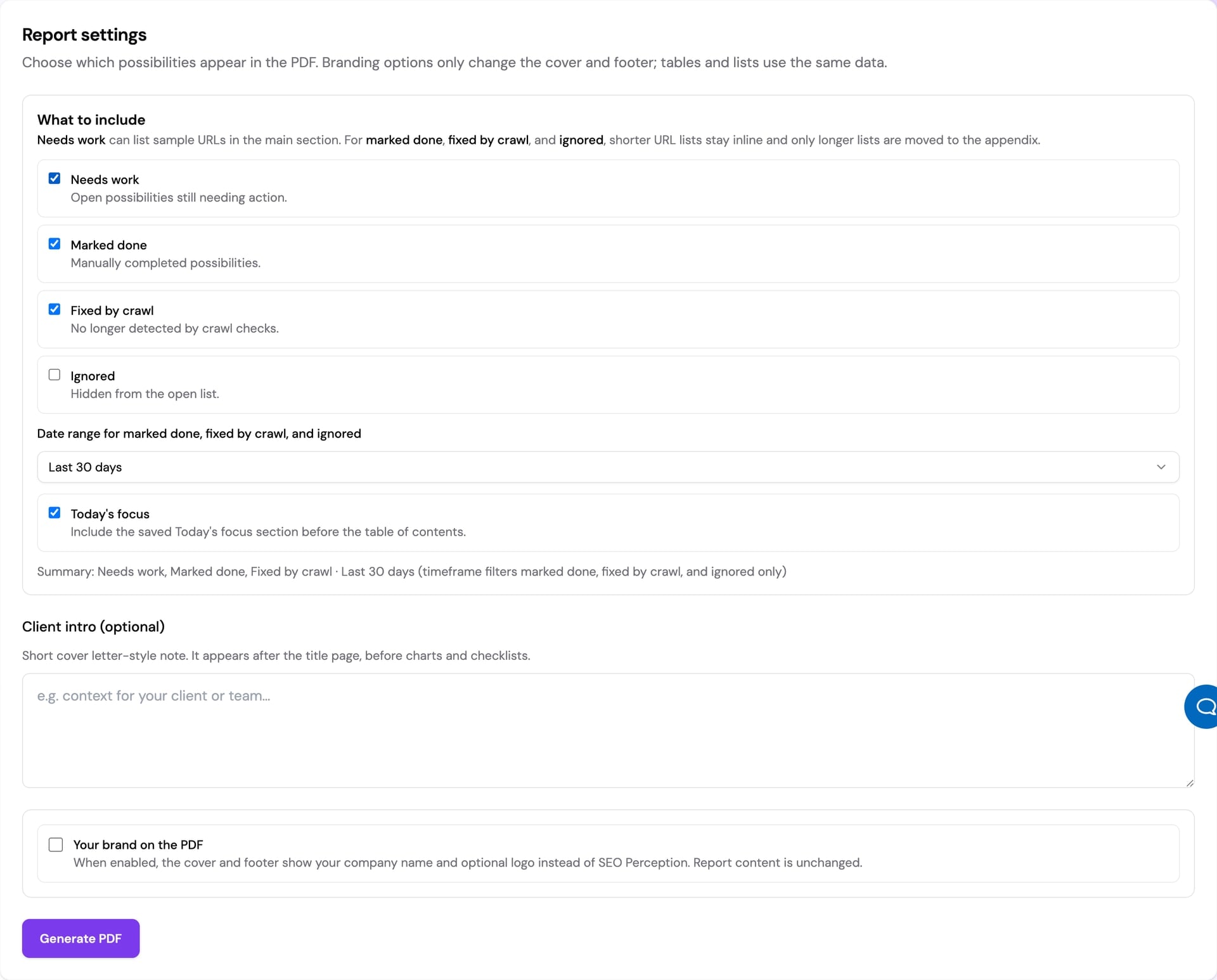
Before generating, you choose which possibility statuses to include: Needs work, Marked done, Fixed by crawl, and Ignored.
You must select at least one status. The date range (Last 30 days, Last 90 days, or All time) applies to Marked done, Fixed by crawl, and Ignored. It does not filter Needs work.
Branding and whitelabel
All eligible tiers can export branded PDF reports. On Business and Enterprise, you can enable Your brand on the PDF so the cover and footer use your company branding (name and optional logo) instead of SEO Perception branding. This changes presentation only, not issue data.
Download retention
Generated reports are cached for 30 days. The Recent reports list shows available files until they expire, then expired files are removed automatically.