What you see on a website
When you open a site from the websites table on /dashboard (see Managing websites on the dashboard), you land in the website workspace: one place that combines what we crawled on your pages with Search Console performance (after you connect Google and data has been collected). The layout is organized into tabs so you can focus on traffic, URLs, or geography without hunting through a single long page. The prioritized SEO Possibilities list (filters, recompute, Done/Ignore) lives on the dedicated /seo-possibilities page—see below.
Project context bar
At the top of this workspace, a shared project context bar keeps navigation consistent. It includes a domain selector and quick links to Details, SEO Possibilities, and PDF Report, so you can move between the three core pages without returning to the dashboard. See Project context bar for the full walkthrough.
Overview
Overview is the default tab. It is built around your traffic chart: clicks and impressions over the time range you pick (for example the last few weeks or a longer history when your plan stores enough data). If Search Console has not synced yet, you may see an empty state until data arrives.
On Business and Enterprise plans you can also switch the chart between Search Console search types (such as web, image, video, or news), not only “web.” On other plans the chart stays on web search.
Beside or below the chart you will find short insight summaries when we have enough data—for example queries that gained or lost visibility, top queries by clicks, and pages that earn the most clicks. A highlighted card often points to open possibilities (improvement ideas) with a shortcut to the full list on SEO Possibilities.
Further down, compact panels summarize Search Console connection (last sync, stored records), crawler progress (how many URLs we know about versus your plan’s page limit and crawl status), and simple site settings such as whether subdomains are included in the crawl and optional weekly email reports. If you use “ignore permanently” on possibilities, a control to reset those choices may appear here when relevant.
SEO Possibilities (dedicated page)
The full SEO Possibilities workspace is at /seo-possibilities. Use the project context bar at the top of the page to jump there (or switch back to Details and PDF Report) while keeping the same website selected. There you get the prioritized checklist for a chosen site: filters, activity history, optional recompute, and actions such as Done or Ignore. Ideas come from analyzing crawled pages and, when available, matching them with Search Console data—see How we find possibilities. On this website workspace, Overview still summarizes open possibilities with a link into that page; the Pages tab shows possibilities attached to each URL you inspect.
Pages
The Pages tab is where you browse crawled URLs for this site: open the list, pick a page, and inspect details for that address. Use search and filters above the list to narrow by URL/title, indexability, or HTTP status—see Pages tab filters (website workspace).
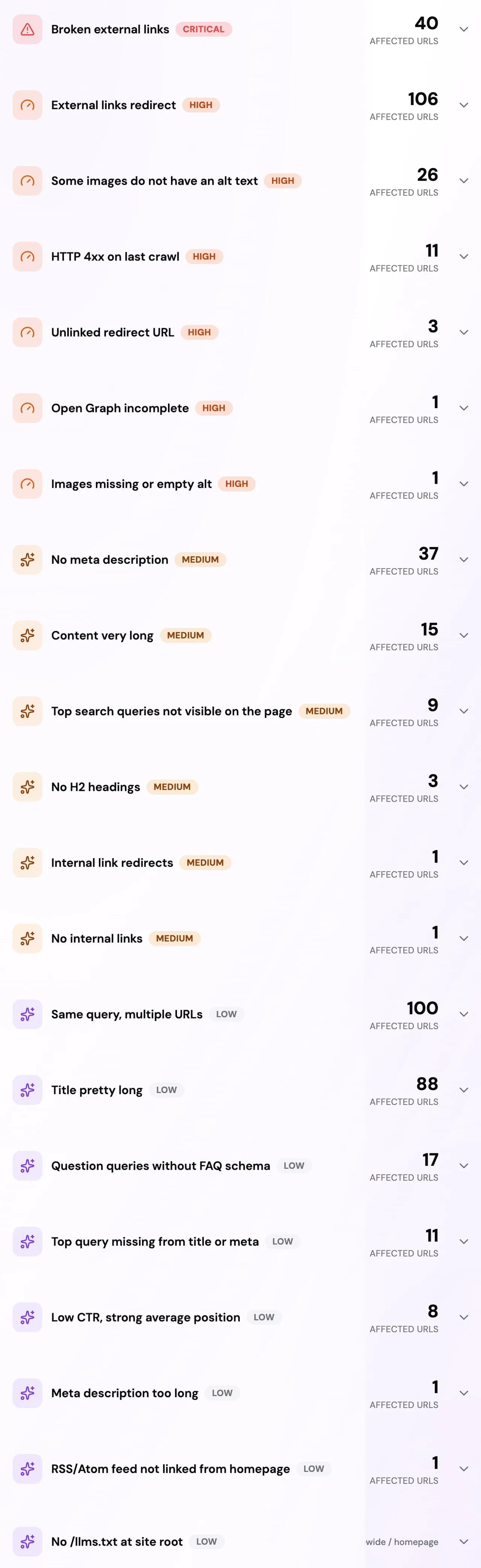
/static/images/list-of-possibilities.jpg in the marketing pipeline.
For a selected page you typically get subtabs such as Queries (search terms and metrics from stored Search Console data), Geo (country and device breakdown when your plan includes that data—see below), and Links (internal links pointing to and from the page, when we have them from the crawl).
You may also see PageSpeed: mobile lab scores and suggestions from Google PageSpeed Insights when you run a check (your page URL is sent to Google’s API). See PageSpeed Insights in SEO Perception for how that fits with cooldowns, possibilities, and the site overlay.
Country
The Country tab shows site-wide tables of clicks and impressions broken down by country and device, using stored Search Console data. The tab is visible on every plan; full tables (and the Geo subtab on individual pages) are available on Business and Enterprise. On other plans you will see a short message and a path to upgrade if you want this breakdown.
Site overlay
On Starter and paid plans above Free, you may see a Site overlay tab. It helps you use SEO Perception while browsing your own live site: you add a small install snippet, then launch from the app so a lightweight overlay can load in context. The tab includes copy-ready instructions and a launch control. For a dedicated walkthrough, see Site overlay.
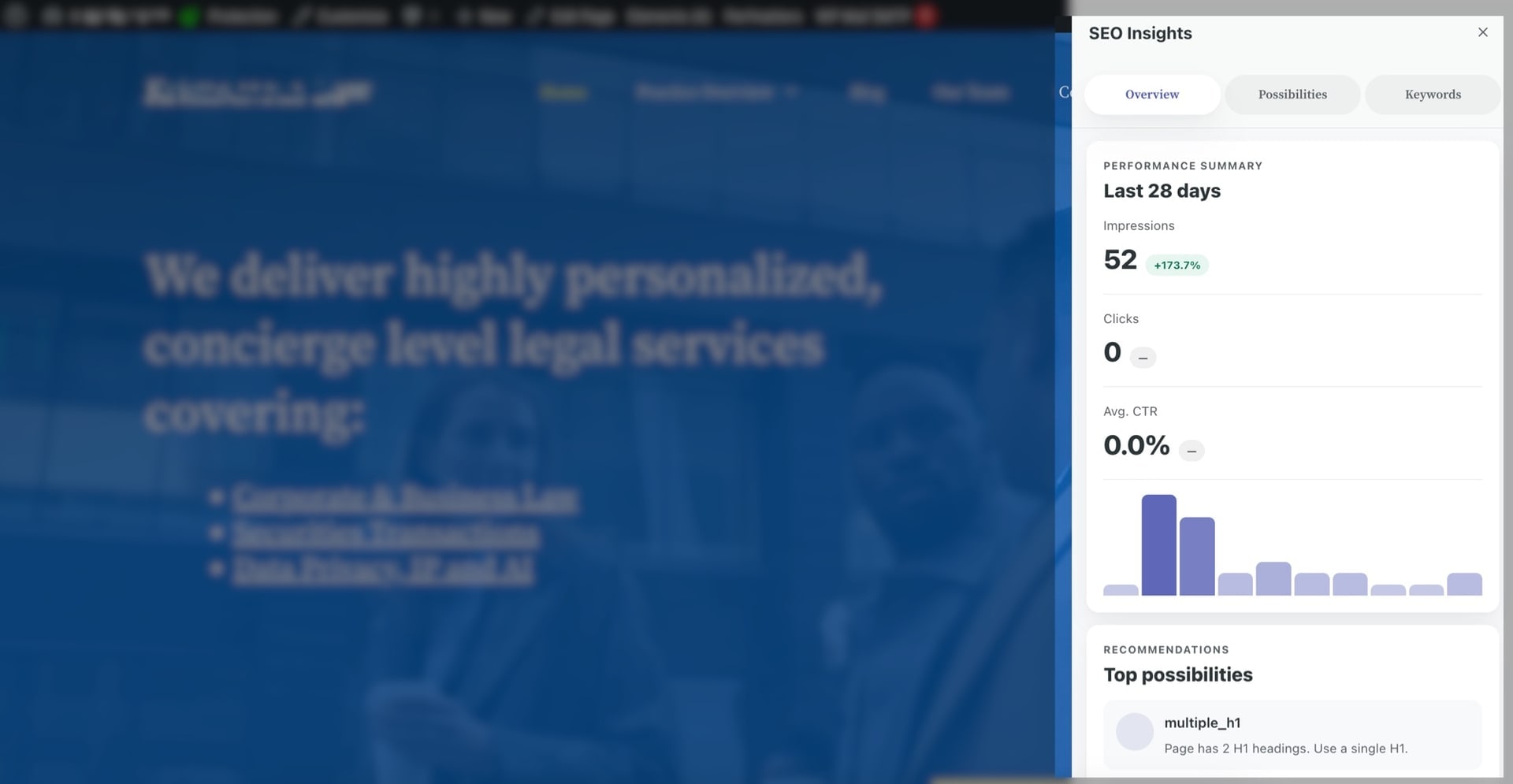
Site overlay is not included on the Free plan. For plan limits and features in one place, see Tiers, pages, and data retention.