SEO Perception
Your open SEO to-dos
Search Console, crawl, and your open SEO to-dos inside Cursor and Claude.
SEO Perception already keeps the search data, the workspace, and a prioritized to-do list for every URL. MCP is how Cursor and Claude read that and draft the next edit.
- Weekly Search Console and the crawl, already stored
- The same pages and evidence you use in the product
- Possibilities: the to-do list, with the reason on each URL
7 days free on Starter, then $9.99/month. Cancel anytime before day 7 for $0.
Ask once. Get evidence-backed edits.
Illustrative chats. The shape of what your MCP client can do once a token is connected. Real answers use your stored Search Console and crawl data.
You · MCP client
“Use SEO Perception to find the biggest losing keywords on /pricing and suggest concrete content changes to recover them.”
Tools called
get_page_diagnostics + search_queries
Stored evidence ticket
Stored evidence for /pricing
“pricing calculator”
Clicks down 42%. Position 8.4 to 14.1. Not in H1 or body.
“enterprise seo pricing”
Impressions up. CTR 0.9% vs page avg 3.1%.
Open possibility
query-not-in-content (high)
Suggested next move
Add a short Pricing calculator section, mention enterprise packaging in an H2, and tighten the meta description around those queries.
No live Google call. Data from stored weekly GSC and crawl.
What the editor is reading
MCP is not a thinner SEO tool. It is the product you already use, opened from Cursor or Claude.
The data
Weekly Search Console facts, the crawl, and page history. Queries stay tied to the URL. MCP reads what is already stored. It does not call Google.
The workspace
The same pages, queries, and evidence you review in SEO Perception, including on the live page with the site overlay.
The to-do list
Possibilities is the prioritized list: what to do, on which URL, and why. MCP returns that list so the editor can draft the change, then mark it done or ignored.
An agent can close a to-do by id, by issue type, or by URL. Done can come back on the next crawl if the check still fails. Ignore stays hidden and needs a reason. A type or URL change shows a preview first, and never closes more than 25 rows at once.
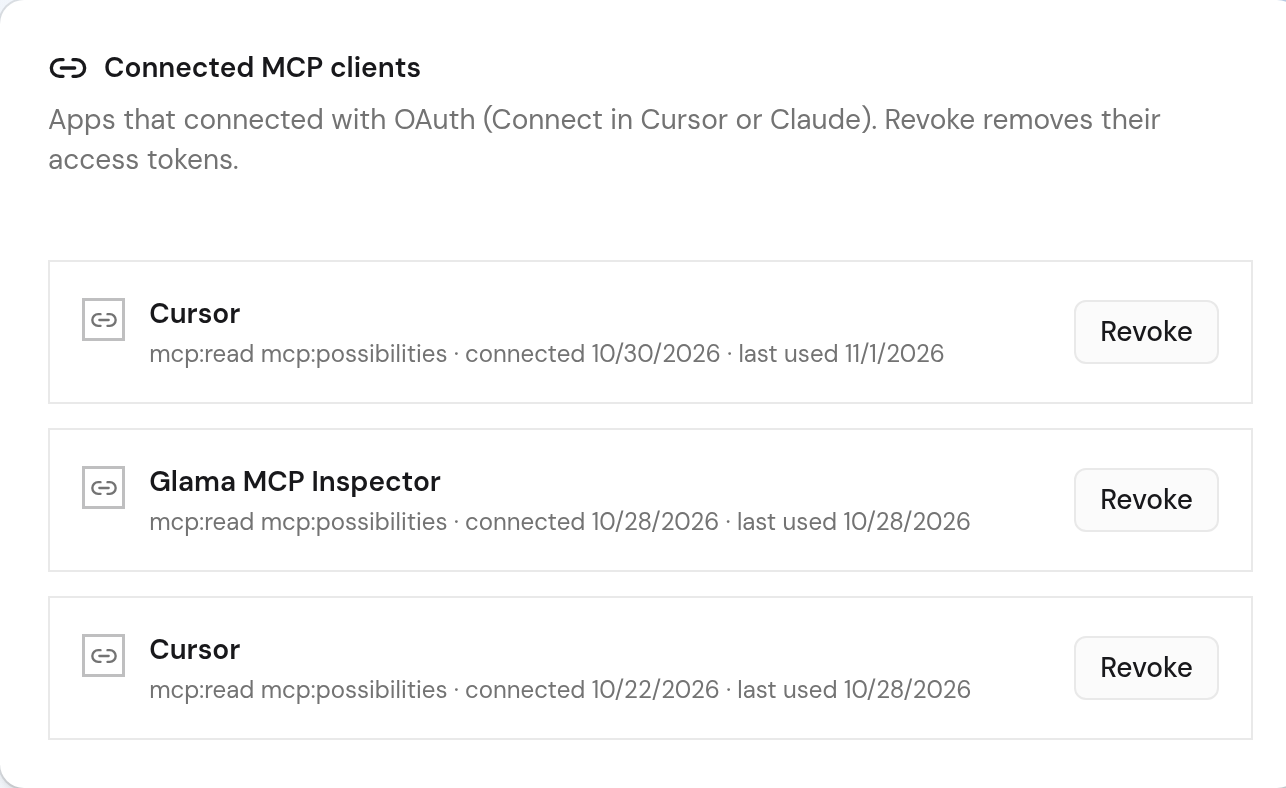
Connect in Cursor asks to read and to mark Possibilities done or ignored. Allow both on the consent screen. A personal token can close Possibilities only when you check that option while creating it. Tokens you already have stay read-only.
Connect in minutes
- 1. Start your 7-day trial and connect Google Search Console (2 minutes).
- 2. In Cursor or Claude, connect to https://seoperception.com/mcp and approve OAuth in your browser.
Connect with OAuth in Cursor or Claude, or create a personal access token, then point your client at the endpoint. Full guide: SEO Perception MCP docs.
Connect with OAuth or a token
Cursor and Claude can use OAuth (browser consent) when the client supports Connect. You can also create a personal access token under Account → MCP. Each secret is shown once. Store it as SEOPERCEPTION_MCP_TOKEN.
Start a 7-day trial (MCP included), connect Search Console, add a site, then open Account → MCP. Already have an account? Sign in.

Prefer a static token? Create one under Account -> MCP and paste the JSON config below.
Cursor
Add to ~/.cursor/mcp.json or project .cursor/mcp.json:
{
  "mcpServers": {
    "seo-perception": {
      "url": "https://seoperception.com/mcp",
      "headers": {
        "Authorization": "Bearer ${env:SEOPERCEPTION_MCP_TOKEN}"
      }
    }
  }
}Other MCP clients
- URL:
https://seoperception.com/mcp - Authorization:
Bearer <your MCP token>
Claude Desktop, Claude Code, VS Code, and others use the same remote endpoint. If a client only supports local MCP, use that client’s remote or proxy option with the URL and token above.
Data boundary
- MCP never re-queries Google Search Console or URL Inspection.
- Answers use data SEO Perception has already collected for your sites.
- Your MCP client may send returned evidence to its model provider. Treat results as sensitive site analytics.
- Included in the 7-day Starter trial ($0 today) and all paid plans from Starter ($9.99/month) up.
Available tools
These tools appear in tools/list once your client is connected.
Nine read-only tools plus seoperception_update_possibilities to mark items Done or Ignore from your MCP client. No live Google calls.
| Tool | What it does |
|---|---|
seoperception_list_sites List sites | List owned websites with stored GSC and crawl freshness. |
seoperception_get_site_overview Site overview | Summarize stored search performance, leading pages, queries, and rank momentum. |
seoperception_search_queries Search queries | Search and filter stored query evidence by content match, position band, impressions, landing page, CTR, and intent. Content filters use stored match rows only. |
seoperception_list_opportunities SEO opportunities | List stored Possibilities. Filter by status, issue type, or URL, or ask for a summary grouped by type. |
seoperception_find_cannibalization Keyword cannibalization | Find stored query conflicts and the deterministic preferred page. |
seoperception_find_content_gaps Content and snippet gaps | Find stored low-CTR, missing-query, title/snippet, question, and refresh opportunities. |
seoperception_suggest_internal_links Internal-link suggestions | Return stored destination and anchor opportunities without crawling or probing URLs. |
seoperception_update_possibilities Close Possibilities | Mark existing Possibilities done or ignored by id, issue type, or URL. Requires the mcp:possibilities scope. Ignore needs a reason and stays hidden. |
seoperception_get_page_diagnostics Page diagnostics | Combine one page’s crawl metadata, stored GSC trends, top queries, and possibilities. |
seoperception_find_content_decay Content decay | Detect sustained stored click and position declines from open refresh-candidate rows. An empty result means none are stored yet. |
More prompts
Prefer observed evidence from tool results over invented recommendations.
List sites
“List my SEO Perception sites and tell me which data is freshest.”
Site overview
“Summarize the strongest gains and losses for my site using stored data.”
Search queries
“Find non-branded queries in positions 5–20 with at least 50 impressions that are missing from their landing page.”
SEO opportunities
“List my open SEO to-dos. Then mark the ones on /page1/ done after you draft the fix.”
Keyword cannibalization
“Find keyword cannibalization and recommend which page should be preferred.”
Content and snippet gaps
“Find the biggest content and snippet gaps, then suggest rewrites that match the losing keywords.”
Internal-link suggestions
“Suggest internal links and natural anchor text for pages with ranking potential.”
Close Possibilities
“Mark possibility 42 done. Ignore the missing-meta group on /about/ because that template does not use a meta description.”
Page diagnostics
“Diagnose /page1/ from crawl state, top queries, and opportunities, then tell me what to rewrite first.”
Content decay
“Which pages show meaningful content decay?”
Want to run these prompts on your own site? Start your 7-day Starter trial ($0 today, then $9.99/month).
Start 7-day trial (MCP included)Rate limits
POST /mcp: POST /mcp: 60/min per IP before auth, 120/min per token after.- Tool calls: 30/min per user, token, and site combination.
- Token creation: 5 attempts per user per hour.
Auth options (OAuth Connect vs personal tokens), security notes, and HTTP error codes live in the MCP docs.
Common questions
- What is an SEO MCP server?
- An SEO MCP server lets Cursor or Claude read your stored Search Console data, crawl, and open Possibilities, then draft the next edit on a URL.
- Is MCP a separate dataset?
- No. MCP reads the same weekly Search Console facts, crawl, and Possibilities list you already use in SEO Perception. There is no second copy of your site.
- Does SEO Perception MCP call Google Search Console live?
- No. MCP tools read stored weekly Search Console facts and crawl evidence already collected in SEO Perception. Collection happens in the product sync, not inside the MCP tool call.
- Which MCP clients are supported?
- Cursor and Claude can connect with OAuth when they support Connect. Any MCP client that can call a remote HTTP endpoint with a Bearer token also works, including VS Code with an MCP extension.
- Do I need a paid plan?
- Start with a 7-day Starter trial (MCP included). Create an account, start the trial, connect Google Search Console, and add a site so we can store evidence. After the trial, OAuth, personal access tokens, and POST /mcp require an active Starter, Pro, Business, or Enterprise plan.
Guides for MCP SEO workflows
This page covers setup, OAuth or tokens, and available tools. The posts below explain workflows, comparisons, and how to run SEO from Cursor with stored evidence.
Ready to write from real search data?
Start a 7-day Starter trial (MCP included), connect Search Console, add a site, then connect with OAuth or a token under Account → MCP . See Connect in minutes.