SEO Perception MCP
Search Console, the crawl, and your open SEO to-dos — inside Cursor and Claude. SEO Perception MCP reads the same stored data, workspace, and Possibilities list you already use in the product, then lets the editor draft the next edit.
“Use SEO Perception to find the biggest losing keywords on
/page1/and suggest concrete content changes to recover them.”
Works with Cursor, Claude, and other MCP clients. Tools read stored weekly Search Console facts and crawl evidence that we have already collected. MCP never calls Google Search Console, URL Inspection, or another live Google API.
Start with a 7-day Starter trial (MCP included). Connect with OAuth, or with a personal access token. With the mcp:possibilities scope, the agent can mark existing Possibilities done or ignored. That does not edit the website or Search Console.
For the live tool catalog, Cursor configuration, and other MCP client setup, see
SEO Perception MCP. Create and revoke MCP personal access tokens in
Account → MCP. The endpoint is
/mcp.
Related reading: What is an SEO MCP server?, Live GSC MCP vs stored evidence, 7 SEO workflows from Cursor with MCP, How we use MCP while we build this site, Building Ted Auto with MCP.

Prerequisites
- 7-day Starter trial, then a paid plan — MCP is included on the trial. After it ends, OAuth, personal access tokens, and
POST /mcpneed an active Starter, Pro, Business, or Enterprise plan. Free accounts cannot connect. - Up to 5 active MCP personal access tokens per user; each expires after 90 days and can be revoked at any time.
-
Rate limits protect the service:
POST /mcpallows 60 requests per minute per IP before authentication and 120 per minute per authenticated token. Individual tool calls allow 30 per minute for each user, token, and site combination. - Creating MCP personal access tokens allows 5 attempts per user per hour.
Each token secret is shown once, then stored hashed at rest; we retain only a short display prefix. Prefer an environment variable such as SEOPERCEPTION_MCP_TOKEN over a committed config file. Create, copy, and revoke tokens under Account → MCP. The steps are in Security.
Privacy promise
- MCP reads stored weekly Search Console facts and crawl/issue evidence only.
- MCP does not refresh Google data, submit sitemaps, recrawl pages, or create tasks.
-
Closing an existing Possibility requires the
mcp:possibilitiesscope. Marking done can reopen on the next crawl. Ignore stays hidden and needs a reason. Read-only tokens cannot change the list. - Your MCP client may still send tool results to a model provider. Treat returned evidence as sensitive site analytics.
Account → MCP shows when each token was last used. That timestamp is written at most once every 15 minutes, so repeated tool calls may not update it immediately.
Security
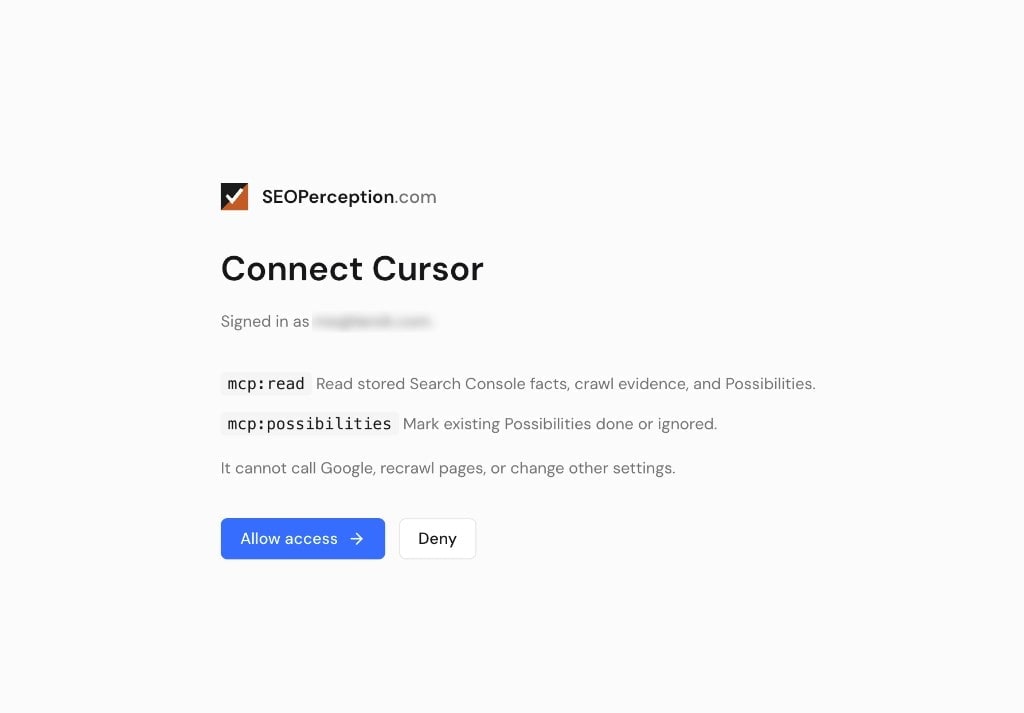
You can connect in two ways. Prefer OAuth Connect in Cursor or Claude when the client offers it: you sign in in the browser, approve access, and the client receives tokens without pasting a secret into a config file. Revoke OAuth clients anytime under Account → MCP.
Personal access tokens are for clients that need a Bearer secret in the environment
(for example SEOPERCEPTION_MCP_TOKEN). Never put your SEO Perception login password or a
browser session cookie in an MCP client config.
- Start a 7-day Starter trial, or sign in on a paid plan, and open Account → MCP.
- Enter a token label, such as the client name.
- Leave Allow this token to mark Possibilities done or ignored unchecked for a read-only token. Check it only when that client should close to-dos. Tokens you already created stay read-only.
- Click Create token and copy the secret. It is shown once.
-
Store it as
SEOPERCEPTION_MCP_TOKENin the environment your MCP client reads. Do not commit the secret. - Revoke a token from the same page when you no longer use it. You can keep up to 5 active tokens.
Closing a to-do
seoperception_list_opportunities is the Possibilities list. Ask for a summary by issue type, or filter by URL. Copy id, typeKey, and pageUrl from that result into seoperception_update_possibilities.
- Up to 25 explicit ids apply immediately.
- An issue type, a URL, or both returns a preview until you confirm. More than 25 matches are not applied.
- Done means handled. The next crawl can reopen it if the issue is still there.
- Ignore is permanent and needs a short reason.
Cursor’s Connect button requests mcp:read and mcp:possibilities. Allow both on the consent screen so the agent can mark Possibilities done or ignored. A client that asks only for mcp:read stays read-only. A personal access token can close Possibilities only when you check that option while creating it. Tokens you already created stay read-only. Disconnect and connect again, or create a new token. There is no database migration.
Practical use
Available tools cover site listing, overview, query search, opportunities, cannibalization, content gaps, internal-link ideas, and page diagnostics. See the live list on the MCP page—trust that catalog over any static list here.
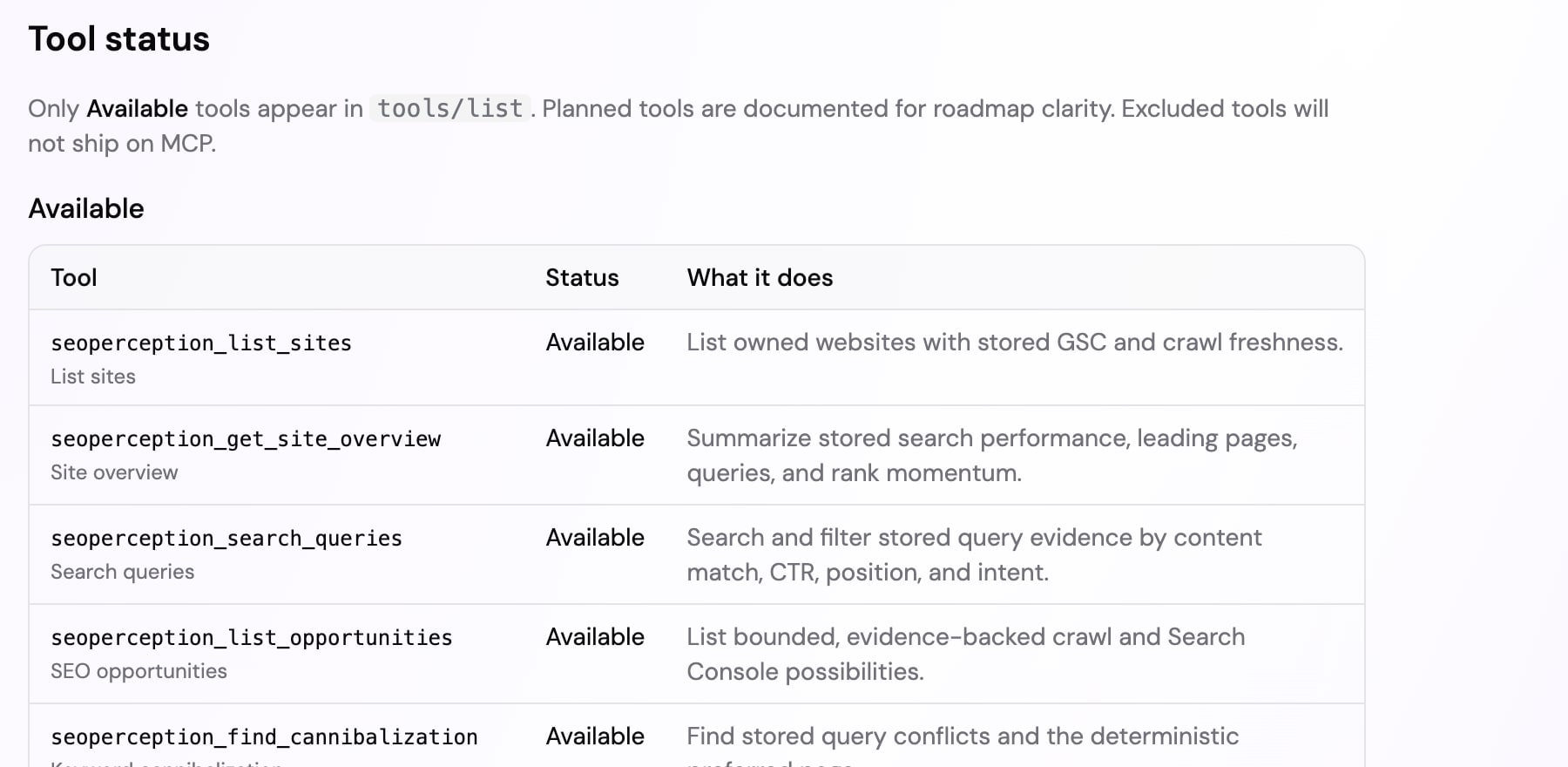
tools/list. MCP never makes live Google calls. Closing a Possibility updates that to-do in SEO Perception and does not edit the site.
Example prompts that work well once a token is connected:
- “Use SEO Perception to find the biggest losing keywords on
/page1/and suggest concrete content changes to recover them.” - “Show the highest-priority open SEO opportunities and explain the evidence.”
- “Find keyword cannibalization and recommend which page should be preferred.”
- “Find non-branded queries in positions 5–20 that are missing from their landing page.”
- “Diagnose this page using its crawl state, titles, indexability, queries, and opportunities.”
Pass siteId as the website’s public UUID from SEO Perception. Responses include provenance that marks stored-data reads and confirms no live Google request was made.
Troubleshooting
- 401 — missing, invalid, or expired credentials. For OAuth, reconnect from the client or revoke and reconnect under Account → MCP. For a personal access token, create a new token and update the environment variable.
- 403 paid_plan_required — upgrade to a paid plan, then connect with OAuth or create a token.
- 429 — the HTTP endpoint allows 60 requests per minute per IP before authentication and 120 per minute per authenticated token; tool calls allow 30 per minute for each user, token, and site combination. Wait for the retry time in the response.
- 406 — your MCP client must send
Accept: application/json, text/event-stream. Cursor does this automatically; include both values in custom clients and curl tests. - Empty lists usually mean no stored data yet — confirm Search Console collection and crawl finished.