SEO report that gets worked: humans prioritize, AI implements
How to use an SEO report as a real brief: prioritize with Search Console evidence, hand the PDF to a human or an AI agent, and ship fixes on a 332-page marketing site.

Share this article
Most SEO reports fail for a boring reason: they are thorough, but they are not briefs. Someone exports a PDF, shares it in Slack, and everyone agrees the site needs work, and then the file sits in a folder while more urgent things happen. I have seen this pattern for years, both as a consultant and as a product builder, and the data is rarely the problem. The handoff is.
SEO Perception exists because I wanted a different outcome. Not another dashboard of red warnings, but a prioritized list of possibilities tied to real Search Console and crawl data, with enough context that a human can decide what to fix first. What surprised me when we ran it on our own marketing site was how well the same export worked as a brief for an AI agent: one artifact, two operators.
This is the story of that experiment on seoboosterpro.com, the marketing site for SEO Booster Pro, a separate WordPress product. We crawled 332 indexed pages, worked through the findings, and used the same PDF report in two ways: a human content workflow and an AI implementation pass. The findings themselves are useful background, but the workflow is the point.
If you want an SEO report that actually drives this week’s work, the pattern is the same: one prioritized brief, a shared PDF export, and two operators. Danish twin: SEO-rapport til mennesker og AI.
When a report is not a brief
A typical technical SEO audit gives you categories. Broken links here. Missing titles there. Duplicate content somewhere else. Useful, but abstract. You still have to translate hundreds of line items into a plan someone can execute this week.
A brief is different. It answers three questions without a meeting:
- What matters most right now?
- Why does it matter for this site specifically?
- What would a sensible first pass look like?
That is what I look for in SEO possibilities: not a score, but a queue. HIGH items are not always emergencies. Sometimes they are strategic: your homepage is losing clicks on your brand term, or three pages are competing for the same query. LOW items are not always ignorable. Sometimes one component fix clears a problem on hundreds of URLs.
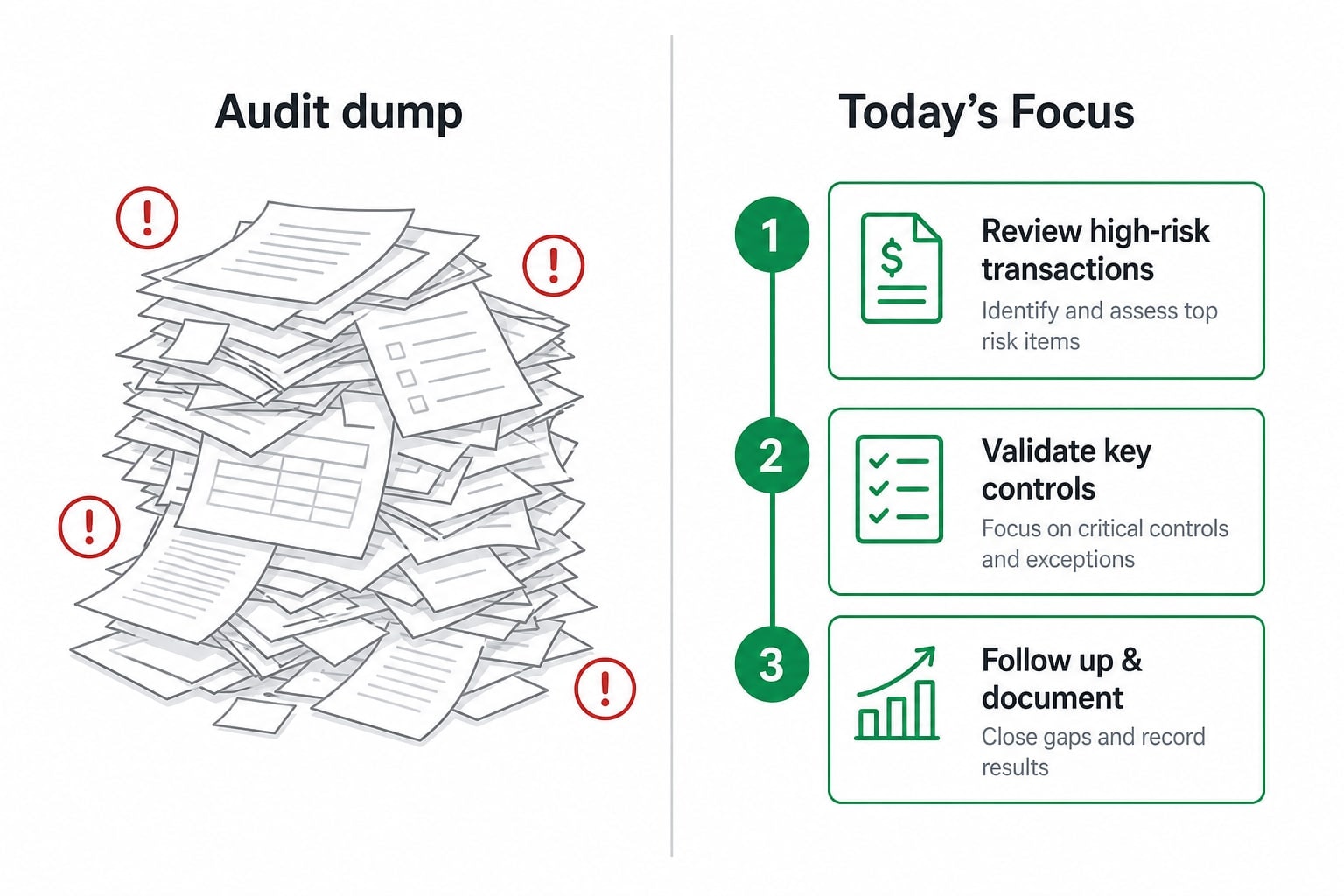
Most teams do not need more findings. They need a shorter list with better context.
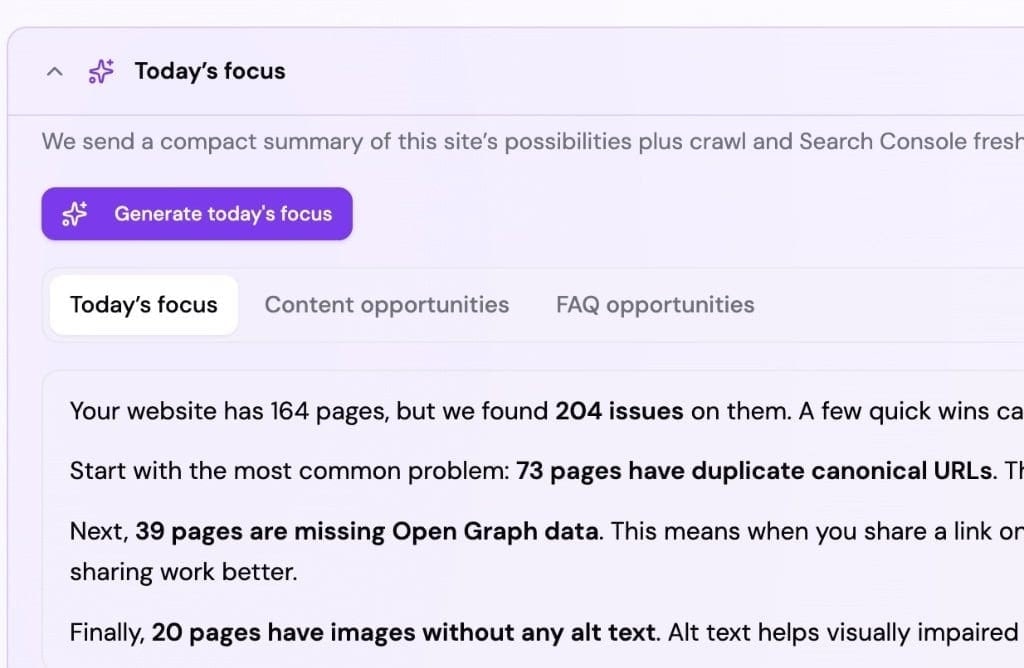
Today's Focus turns the Possibilities queue into a short weekly brief.
When we connected seoboosterpro.com to SEO Perception in early July 2026, the Today's Focus narrative pulled three themes to the top immediately. Our homepage was losing clicks on "seo booster" despite reasonable position. Several pages were competing for branded queries like "seo booster plugin" and "seo booster wordpress." And more than 290 images were missing alt text, many of them from shared header and footer components rather than individual content mistakes. None of that was shocking, but seeing it ranked and explained in one place, tied to our actual GSC numbers rather than generic best-practice advice, was genuinely useful.
One report, two ways to work
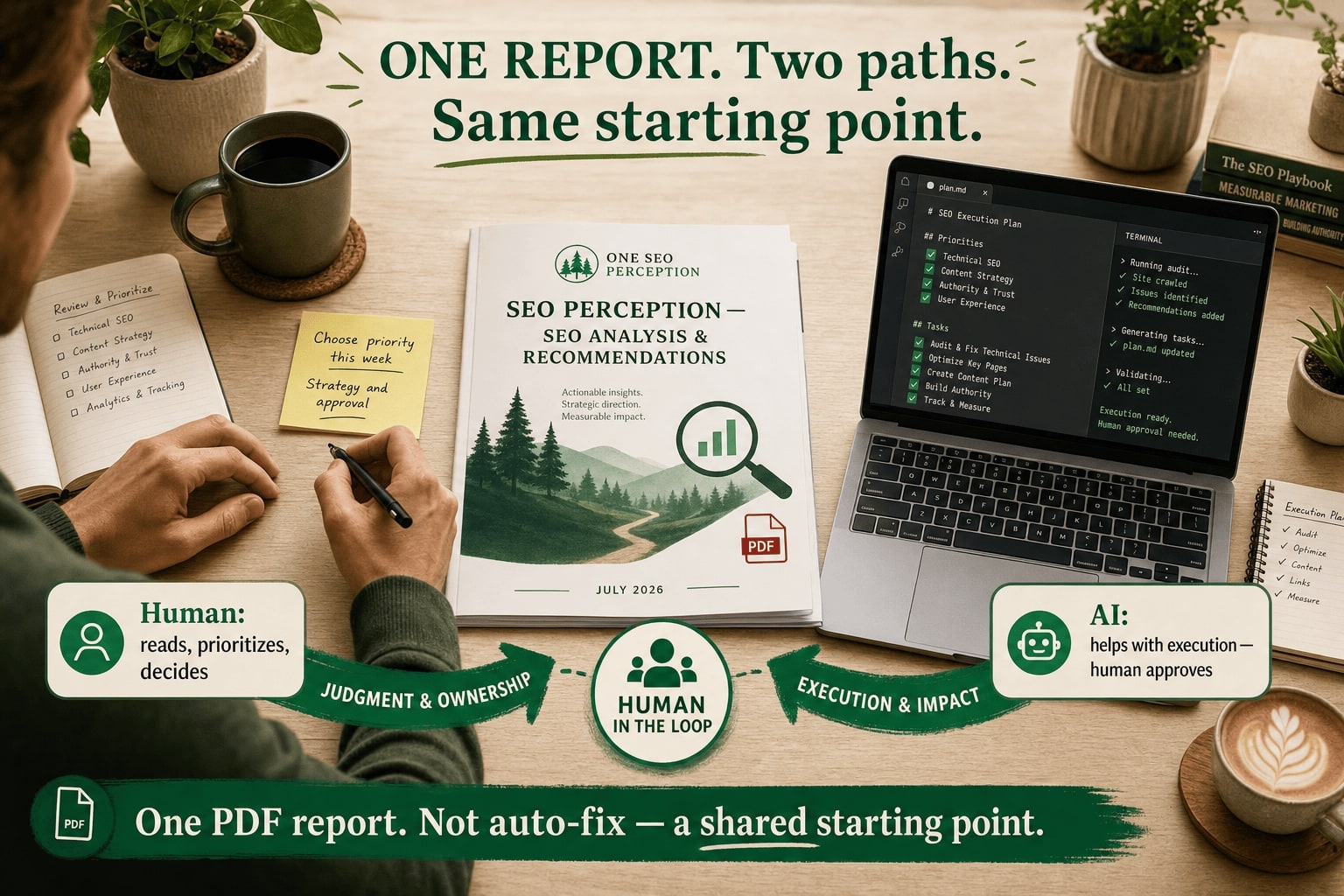
We ended up with a workflow that I think generalizes beyond our stack.
Human path: A founder, marketer, or agency lead reads the prioritized possibilities, picks a theme for the week, and assigns or does the work. Content changes go to a writer. Technical fixes go to a developer. The report is the shared reference, so no one has to re-explain why the homepage headline matters.
AI path: Export the PDF report and attach it to an AI coding agent with a simple instruction: implement the fixes where you can, starting with sitewide component changes. The agent does not need SEO expertise if the brief is specific enough. It needs file paths, clear acceptance criteria, and permission to deploy.
We did both on the same site in the same week. The human path handled judgment calls (which page should win a branded query, what tone the homepage should use). The AI path handled volume: alt text on shared components, FAQ blocks with JSON-LD, internal link additions across twelve feature pages, nginx trailing-slash rules.
That split felt natural in practice. I would not trust an AI to decide our brand positioning, but I would trust it to add alt={site.logoAlt} across every page that uses a shared logo component once a human has said that is the right fix.
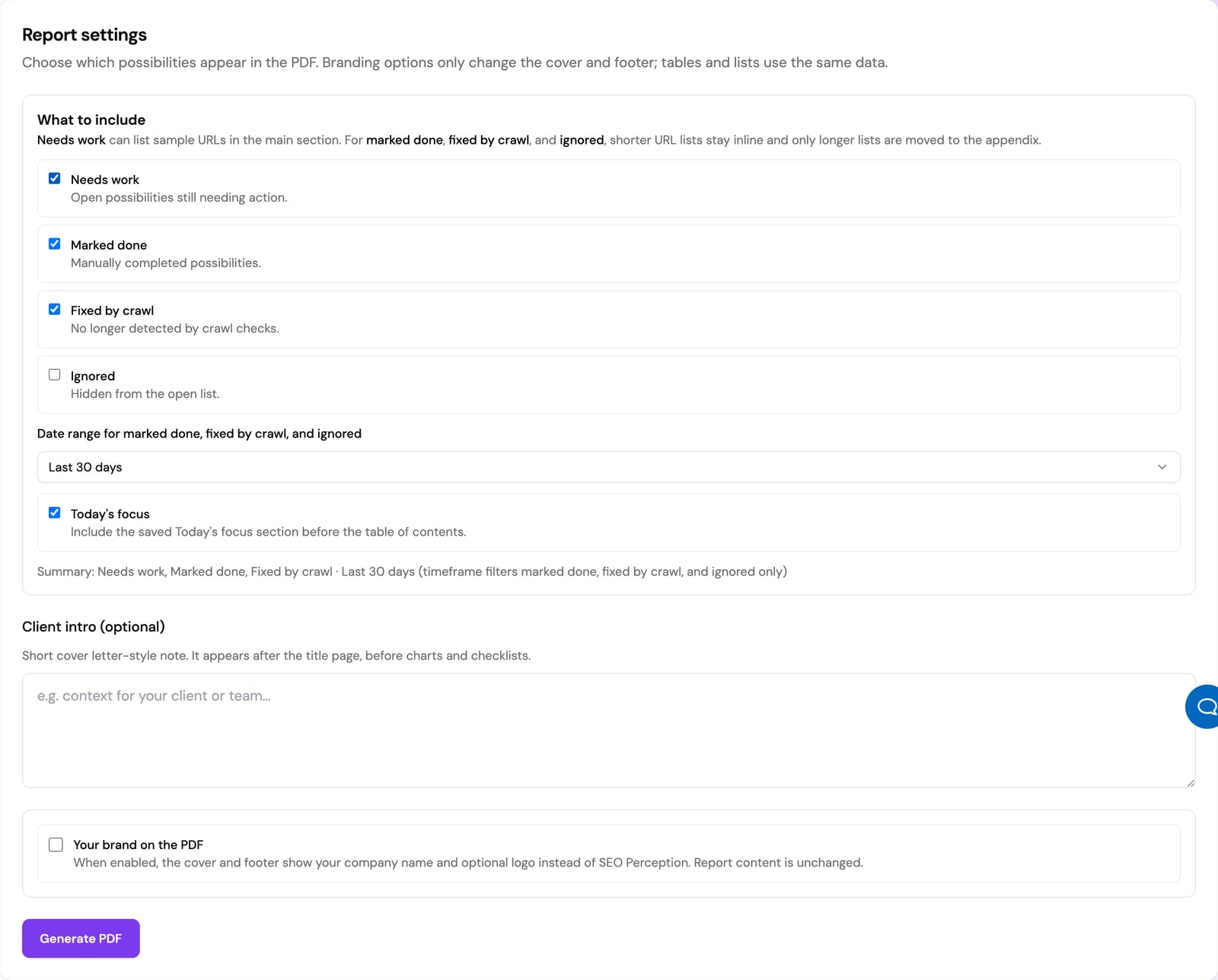
One export: enough context for a human brief and an AI implementation pass.
The PDF report documentation walks through how the possibilities, explanations, and GSC context land in a single shareable file if you want to try the export workflow yourself.
What 332 pages actually surfaced
I want to walk through four finding types from our crawl, not as a changelog but as examples of how a good brief shapes work. These are the kinds of patterns SEO Perception is built to catch, and the kinds of fixes that are easier than they look once you know where to start.
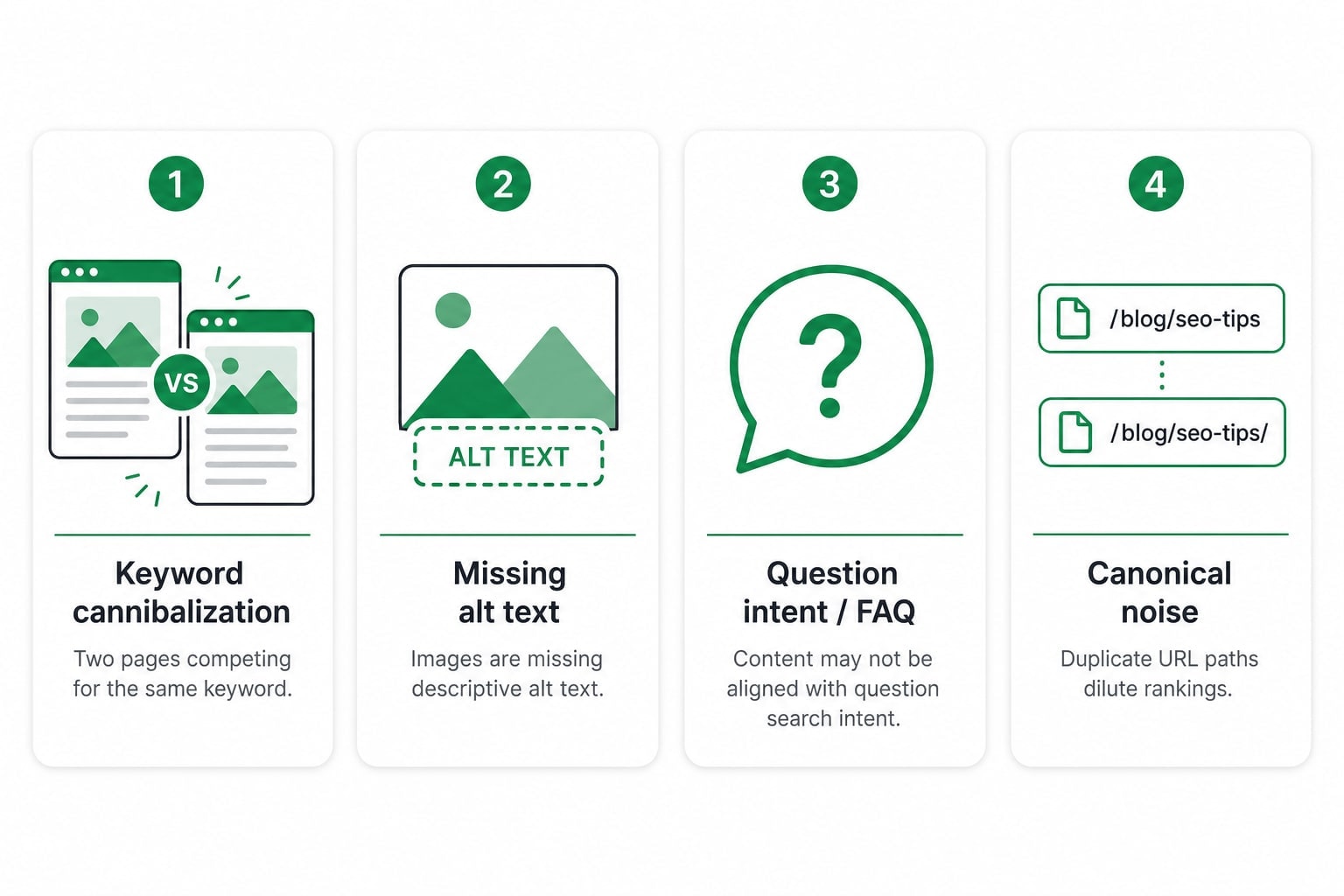
Brand queries and cannibalization
Our homepage was still ranking for "seo booster" (position around 5.4), but clicks had dropped sharply. At the same time, the Features page, Reviews page, pricing, docs hub, and individual feature landing pages were all eligible to compete for related branded terms. That is classic keyword cannibalization: not a penalty, but a split of attention across URLs that should have a clear hierarchy.
The brief did not just flag overlap. It pointed at anchor text and internal linking as the lever. We decided the homepage should be the preferred URL for "seo booster plugin" and "seo booster WordPress," and added branded links from secondary pages back to / with intentional anchor text. Feature pages got a short localized blurb below the hero. The docs hub, pricing, about, and get-started pages each got one natural sentence pointing home.
That is a strategic fix, not a template tweak. A human needed to make the call. An AI could implement it consistently once the call was made.
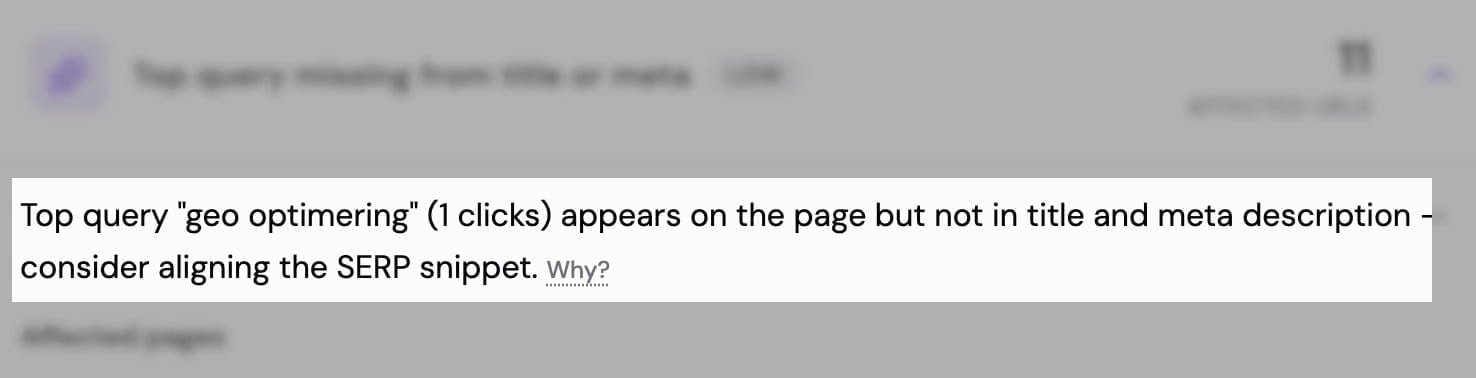
Demand signals from Search Console sit next to the Possibilities that explain what to change.
Sitewide wins through shared components
The alt-text finding looked enormous on paper (290+ images), but in practice a large share traced back to one component: our site logo in the header and footer, rendered with an empty alt="" on every page. Fix the component, fix hundreds of URLs.
That is the pattern I appreciate most in a crawl-backed report. It separates noise from leverage. Without prioritization, a team might start rewriting alt text on blog images one by one while the logo still ships blank on every page load.
We also fixed empty alts on eight docs screenshots, blog index card thumbnails, and a handful of content-specific images. Smaller counts, but the brief helped us sequence the work: component first, then content.
Question intent and visible FAQs
Search Console had been showing question-shaped queries on several of our /seo/ articles ("how to find lost keywords," "how to improve SEO keyword ranking," "how often does GSC data refresh"). The pages covered those topics, but not in a form that matched how people search.
We added FAQ sections to six SEO articles and three docs pages: visible accordion Q&A in the page body, with matching FAQPage JSON-LD in a separate script block. The answers were written for humans first. The schema follows the visible text, not the other way around. That aligns with how we think about FAQ content in 2026: the rich-result shortcut is mostly gone, but clear answers still help readers and machines.
This was a strong AI-assist task. Once we decided which pages needed which questions, an agent could draft answers, wire frontmatter, and connect the layout components without much supervision.
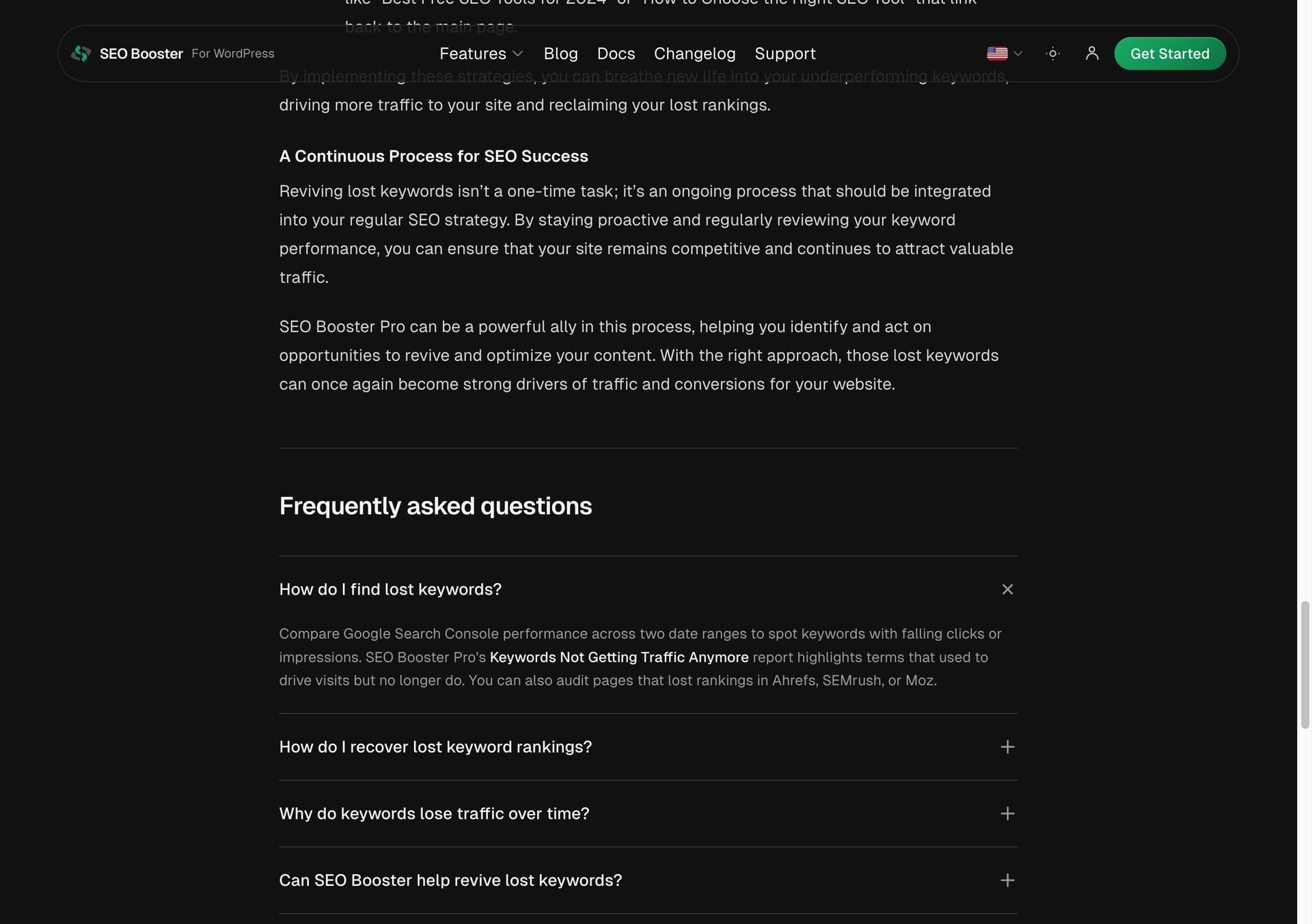
Visible answers first; FAQPage JSON-LD mirrors the same text in the page source.
Judgment calls the report cannot make for you
Not every finding is a fix. Our crawl flagged duplicate title and meta pairs on trailing-slash URL variants (/faq vs /faq/, and similar paths). In production, nginx was already 301-redirecting no-slash to slash. The "duplicate" pairs were audit noise, not two live 200 responses competing in the index.
A less experienced reader might have spent a day "fixing" redirects that were already working. The brief was useful here because it forced us to verify before acting. We hardened canonical tags in our Astro SEO component and added an explicit nginx rewrite rule, but we also removed Astro redirect stubs that were breaking real pages (/tos/ and /support/ had become self-redirect loops).
A good report accelerates work, but someone still has to read it. SEO Perception does not auto-apply changes to your site, and I think that is correct. The product's job is to make the next decision obvious, not to make it for you.
Handing the PDF to an AI
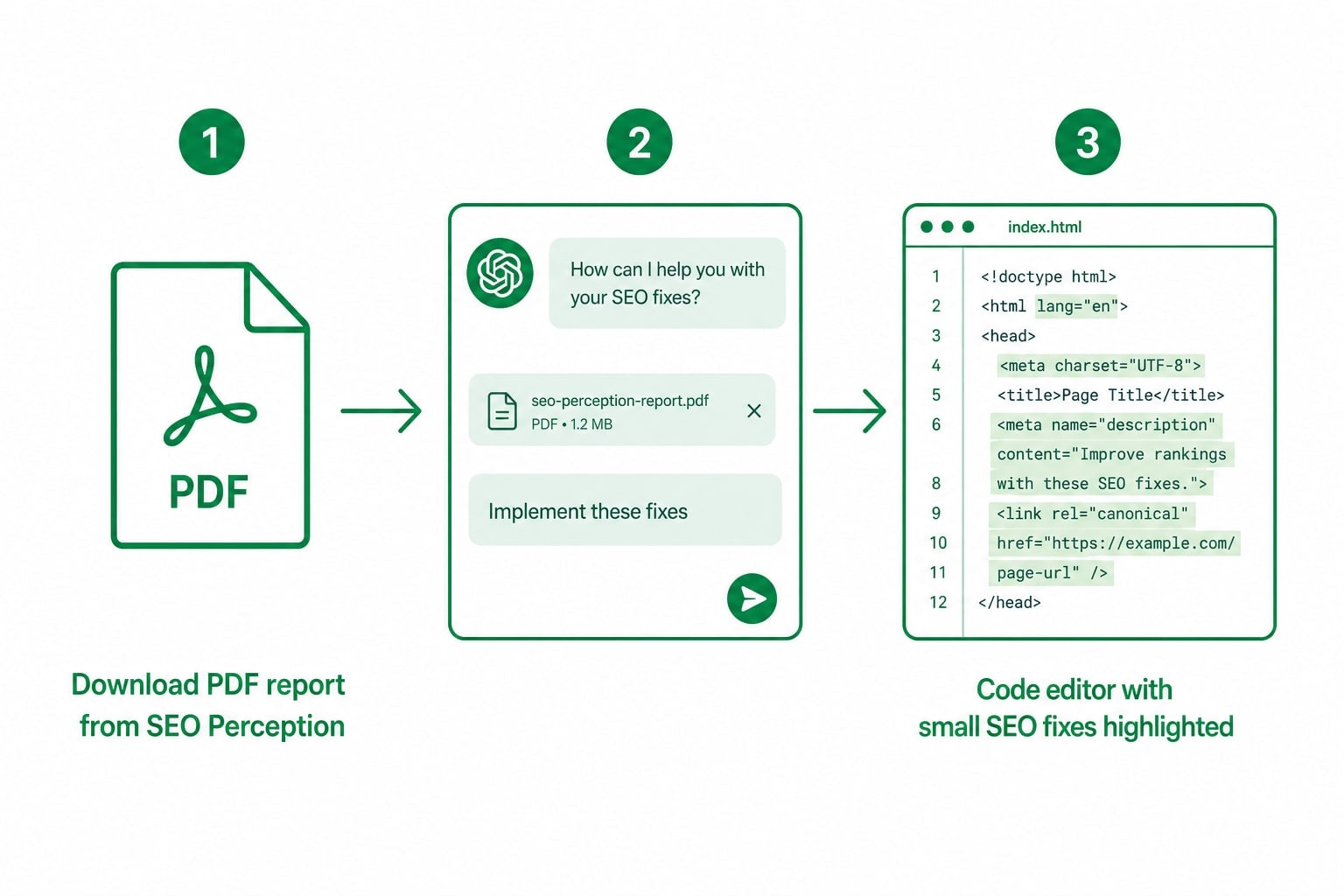
The AI workflow was simpler than I expected. We attached the July 8 SEO Perception PDF and asked the agent to implement fixes where possible, following our existing codebase conventions. No special integration. No API key. Just a thorough brief and a capable editor.
What the agent handled well:
- Component-level changes with sitewide impact (logo alt, blog card alt, canonical normalization)
- Content frontmatter (FAQ blocks on nine pages)
- Internal link additions across feature and marketing page templates
- Config and deploy files (redirects, nginx rewrite, Astro SEO component)
What still needed a human:
- Deciding homepage messaging and which URL wins branded queries
- Choosing which SEO Perception findings to defer (long changelog page, generic JSON-LD on legal pages)
- Reviewing deploy safety on a shared server with other sites
- Writing this article
If you run an agency or a small in-house team, that division of labor may be the most useful takeaway. You do not need a dedicated SEO developer for every possibility. You need a brief good enough that a generalist (human or AI) can execute the mechanical parts while you keep strategy.
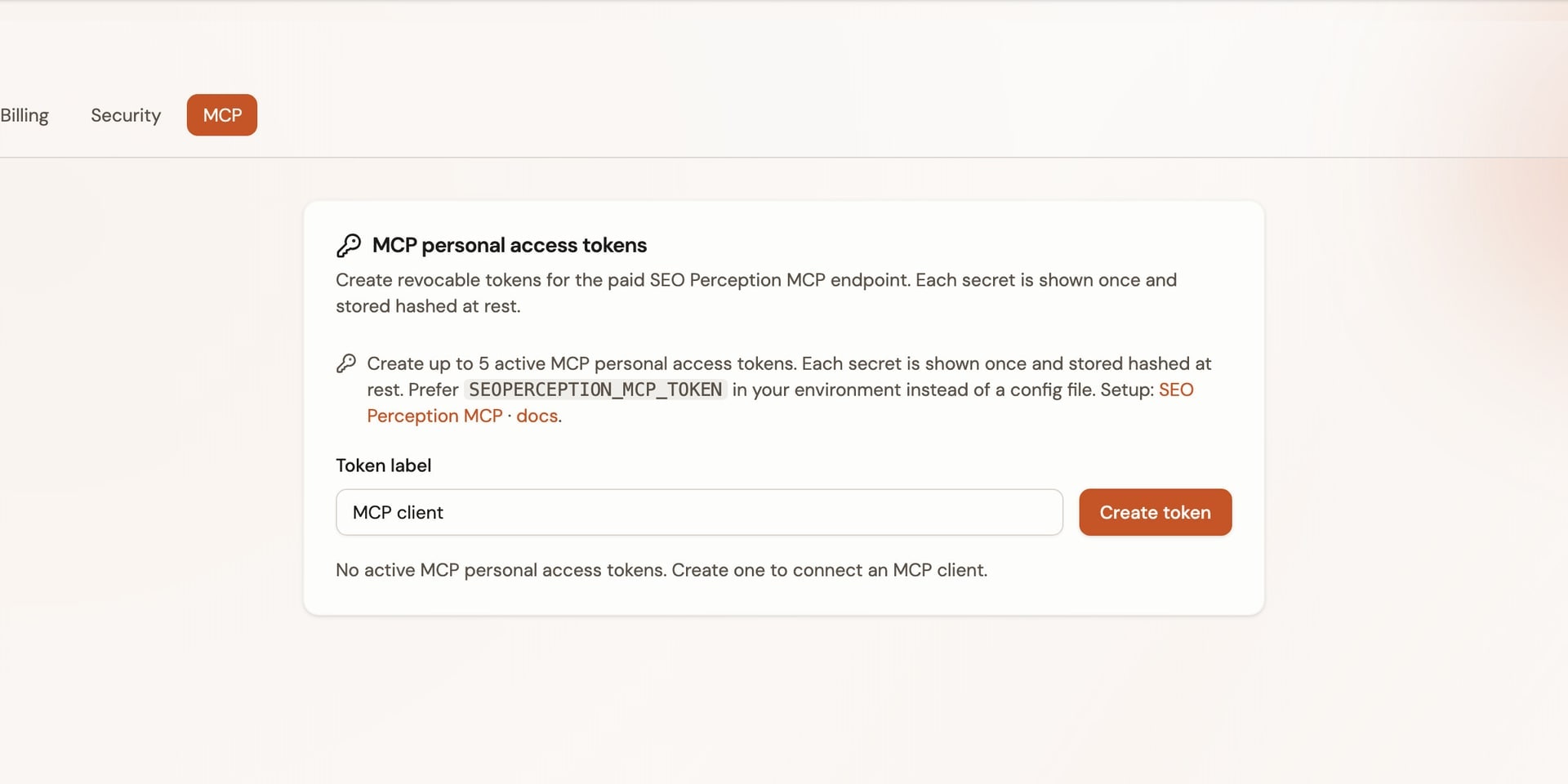
Attach the PDF for a one-off pass, or connect MCP so the same stored evidence is available inside the editor.
What we are watching next
We deployed the fixes to production the same week. I plan to re-crawl in about two weeks and compare homepage clicks on "seo booster," branded query distribution across URLs, alt-text coverage, and whether the FAQ pages pick up any new query variants in GSC.
Early signals from the report itself: homepage "seo booster" was at roughly 1.03% CTR around position 5.4, and weekly clicks across the property were in a modest 3–8 range in June 2026. I am not expecting overnight movement. SEO progress, in my experience, comes from weekly execution on a short list, not from one heroic audit.
If you are sitting on a report right now, from SEO Perception or anywhere else, ask whether it is a brief or a dump. Can you hand it to a colleague and they would know what to do Monday morning? Can you hand it to an AI and get a useful first pass? If not, the problem may not be your site's SEO. It may be how the findings are packaged.
Who this workflow is actually for
I think about this mostly in terms of small and mid-sized businesses, because that is where the stall happens most often. You do not have a full-time SEO team. You might have a marketing generalist, a freelance developer, or just yourself and a content person a few hours a week. In that world, a 200-page audit is not a gift. It is homework nobody has time to grade.
What tends to work better is a shorter queue with context: fix the logo alt everywhere first, then pick one content theme for the week, then re-crawl and see what moved. That rhythm is achievable without hiring a specialist. An agency can run the same pattern across clients, with the report becoming the shared brief between account lead and implementation, whether implementation is a human contractor or an AI session.
The AI angle matters here too, and I want to be honest about it. It is not magic. You still need someone who understands your business well enough to say "the homepage should win this query" or "leave the legal pages alone for now." But once those calls are made, a lot of SEO work is mechanical: alt attributes, internal links, FAQ blocks, canonical tags, redirect cleanup. That is exactly the kind of work an agent can accelerate if the brief is specific.
If you are an agency reader, the same split applies. Strategy stays with the lead. Volume goes to a junior, a contractor, or an agent. The report is what keeps everyone aligned without another status meeting.
Try it on your own site
SEO Perception connects to Google Search Console, crawls your pages, and builds a prioritized possibility list with AI-assisted explanations. It does not change your site for you, and that is intentional. The output is meant to be worked by you, your team, or an agent you trust.
The dashboard getting-started guide shows how the possibilities queue works. When you are ready to run a full pass, create an account and add your first property.
Also available in Danish: SEO-rapport til mennesker og AI.
Frequently asked questions
Can I really hand an SEO Perception report to an AI?
Yes, if the report is specific enough. The PDF export includes prioritized possibilities with context, not just error codes. We attached ours to a coding agent and got a useful first implementation pass on component fixes, content blocks, and deploy config. You still need a human for strategy and review.
What makes a good SEO report in practice?
One that answers what matters most now, why it matters for your site, and what the first pass looks like. SEO Perception’s PDF export is built for that handoff: humans prioritize, AI or a developer ships.
How is this different from a normal SEO audit?
Most audits optimize for completeness. SEO Perception optimizes for decision-making: what to fix first, why it matters for your site, and how it connects to Search Console data. Think of it as a weekly brief, not a quarterly dump.
Does SEO Perception fix issues automatically?
No. It surfaces and prioritizes possibilities. You, your team, or an AI agent you prompt does the implementation. That keeps you in control of brand, messaging, and deploy decisions.
What size site is this workflow meant for?
It scales from a small business site with a few dozen pages to larger content properties. Our proof run was 332 indexed pages on a marketing site with docs, blog, and bilingual paths. The component-leverage pattern (one fix, many URLs) matters more than raw page count.
Do I need SEO Booster Pro to use SEO Perception?
No. They are separate products from the same founder. We used seoboosterpro.com as a real proof site because we control it and could publish fixes quickly. SEO Perception works on any site you add to your account.
Share this article
Evidence and update policy
These articles are written from crawl diagnostics, Search Console interpretation, and cited public documentation when platform behavior is referenced. Guidance is updated when source platforms change materially.